Issues tab
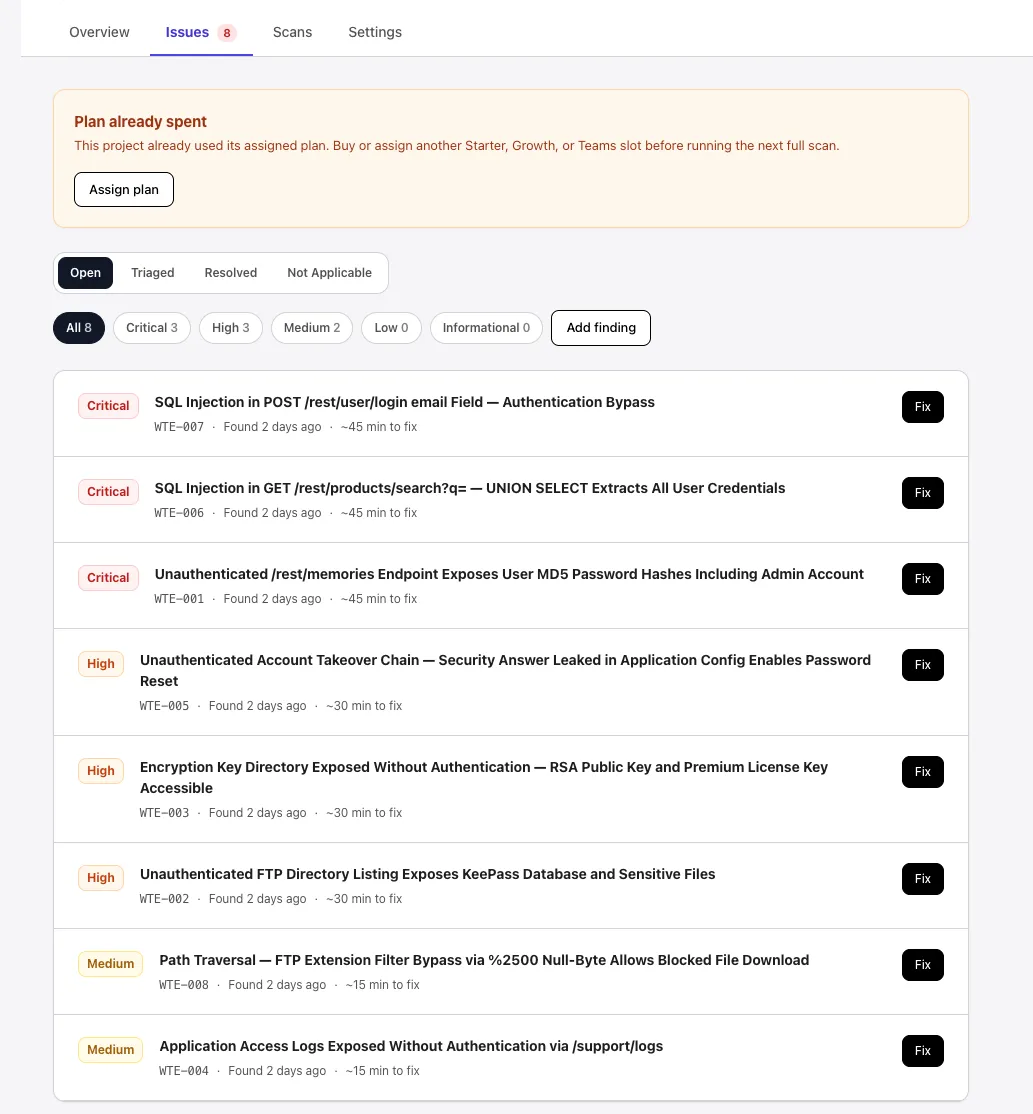
The Issues tab lists every finding from this project’s scans. There are two sections to work through: confirmed findings (which need fixes) and findings that need manual validation.
Confirmed findings
Section titled “Confirmed findings”Each row shows the severity badge, the short finding ID (e.g., WTE-007), the title, when it was found, and a rough fix-effort estimate. Selecting a row — or its Fix button — opens the finding detail.
Findings are sorted by severity (Critical first) so the highest-impact issues stay at the top. The chips above the list filter by severity (All, Critical, High, Medium, Low, Informational); the status tabs above those switch between Open, Triaged, Resolved, and Not Applicable.
Needs manual validation
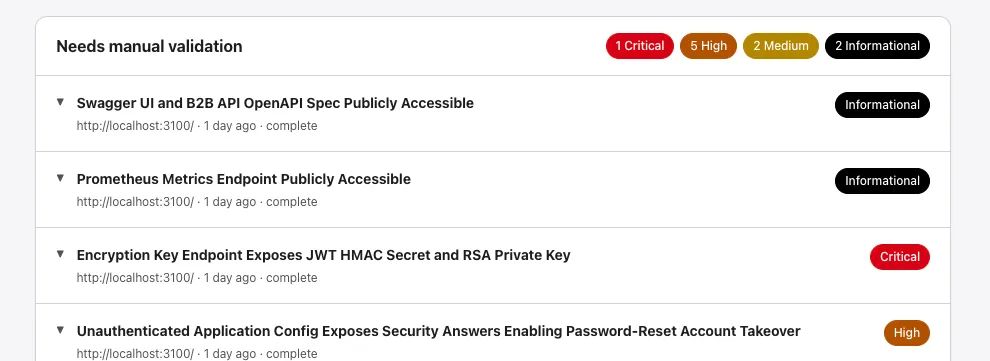
Section titled “Needs manual validation”Some findings need human confirmation — usually informational discoveries (publicly accessible specs, metrics endpoints, etc.) where the impact depends on context the scanner cannot infer. The section header shows a per-severity count (e.g., 1 Critical · 5 High · 2 Medium · 2 Informational). Each row expands to the evidence the agents collected, so you can confirm or dismiss quickly.
If anything is unclear, email issues@phantomops.co.nz.